- Search for NPort Administrator
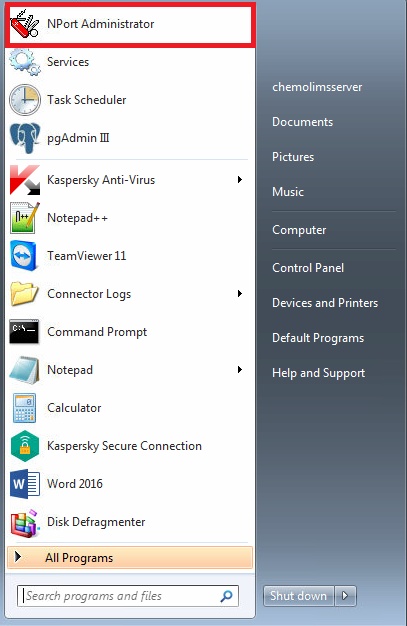
- Then it will show the following screen and click on the Search button.
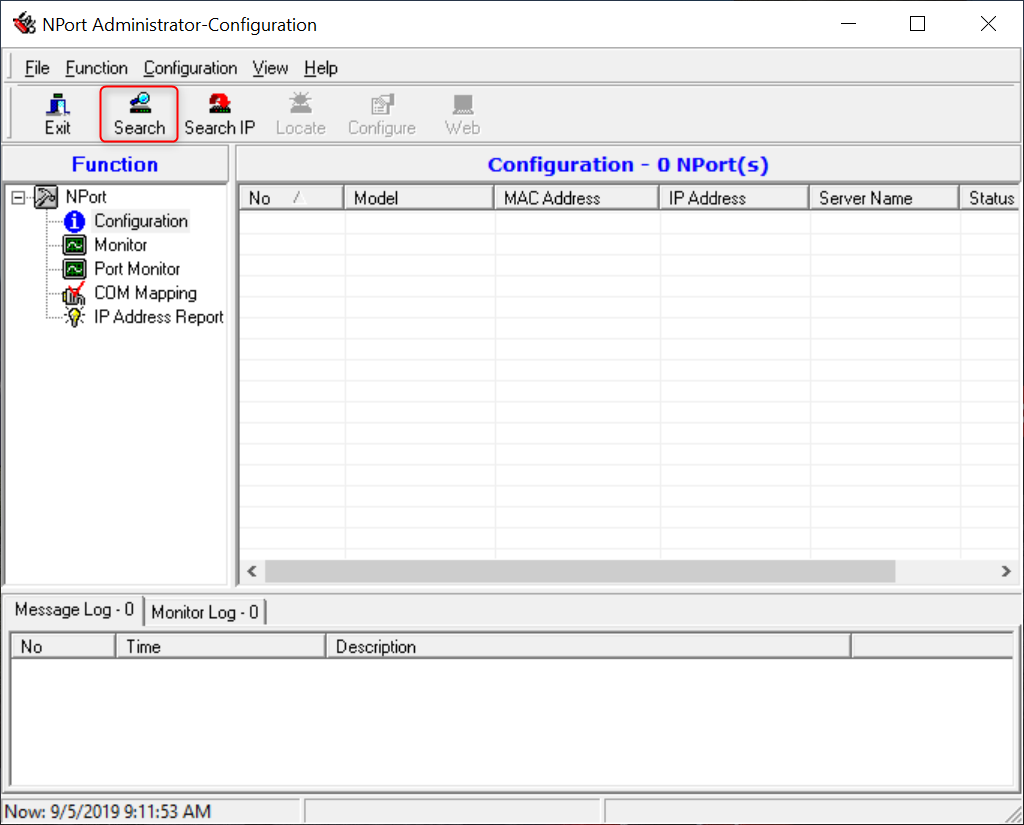
- Make sure the Moxa is power on in order to find the IP Address of the Moxa.
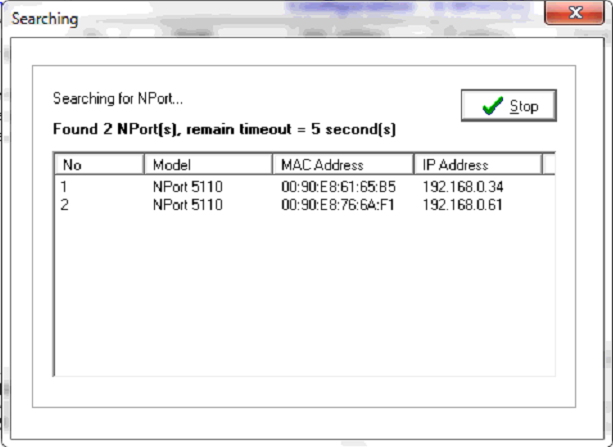
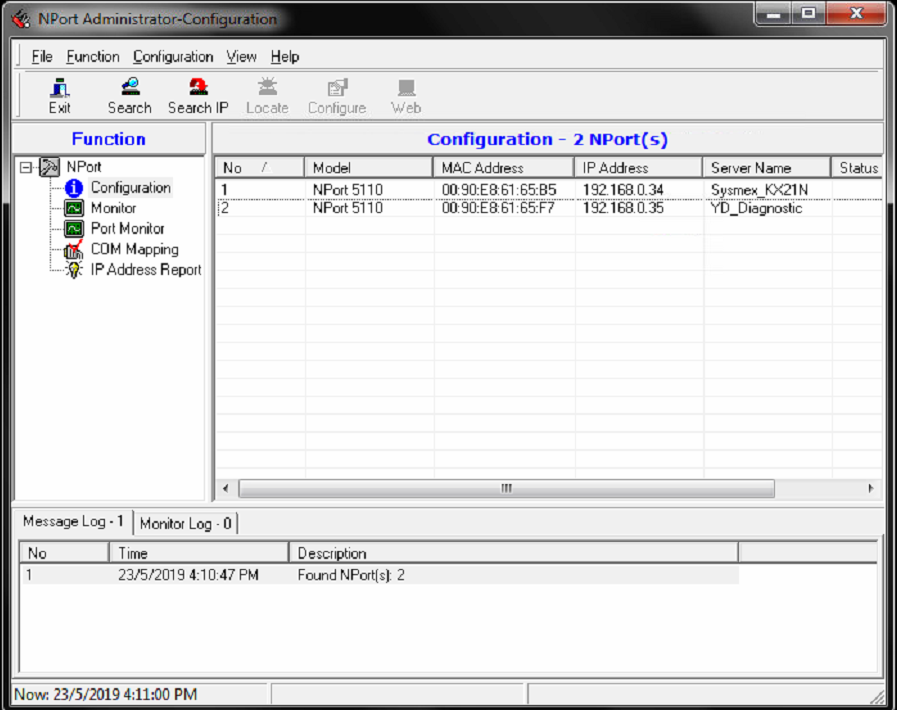
- The list of the moxa that is connected will be listed below.
- Double click on the moxa that is needed to be configured.
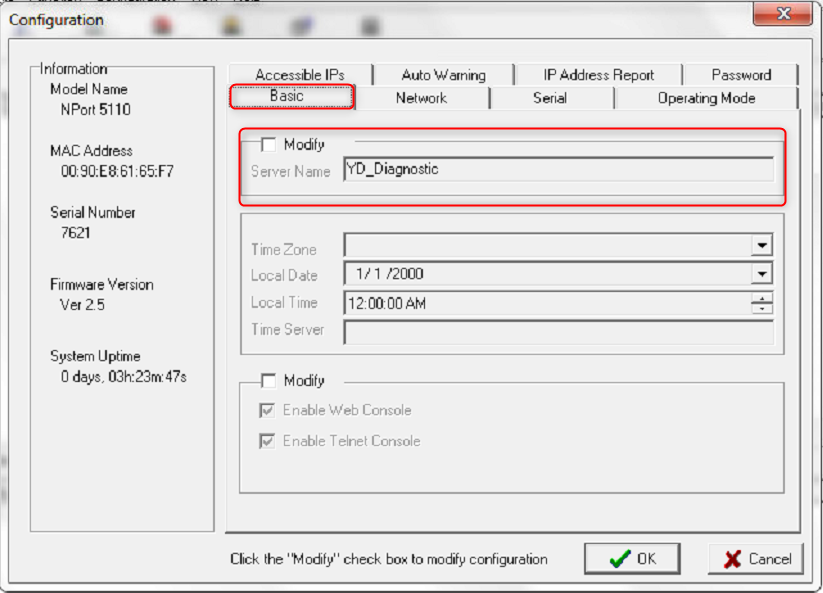
- Select the Basic tab and click on the Modify check box.
- Change the server name to the analyzer name
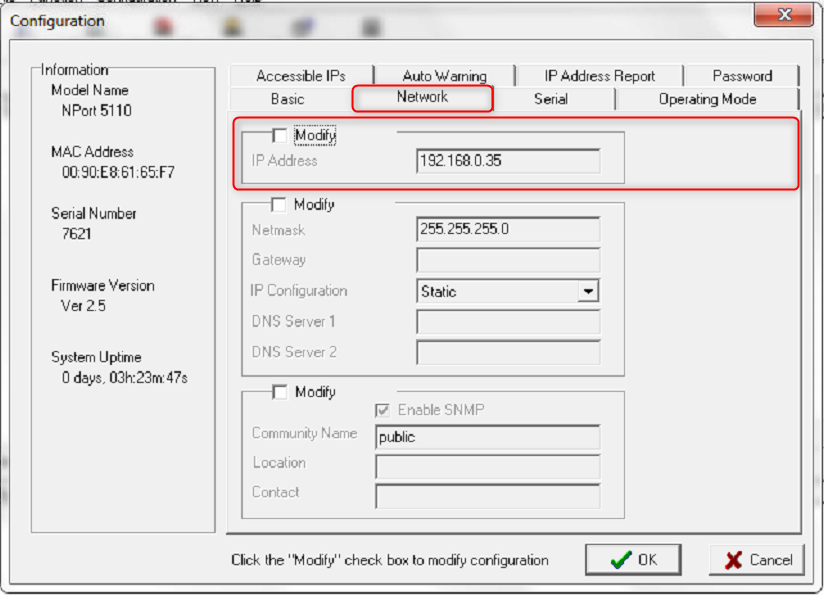
- Select the Network tab and click on the Modify check box.
- Change the IP Address based on Site Configuration
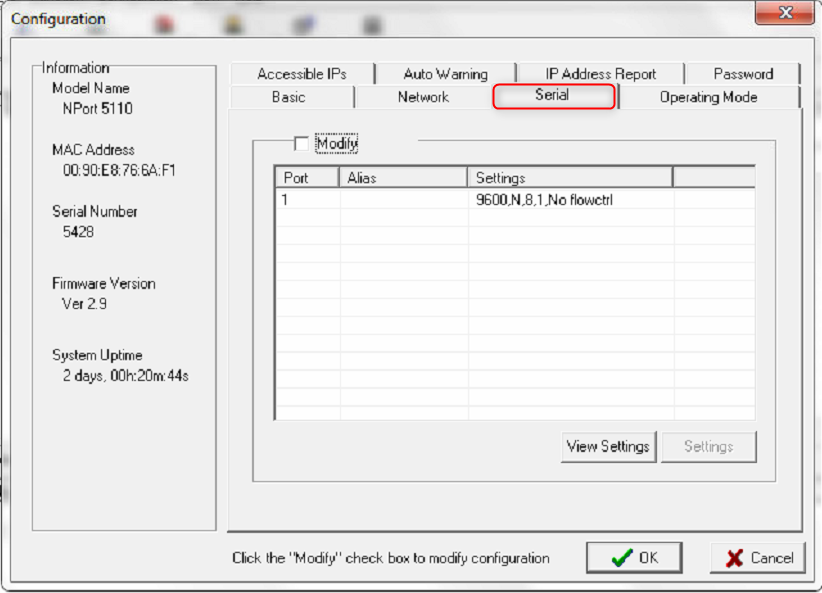
- Select the Serial tab and click on the Modify check box.
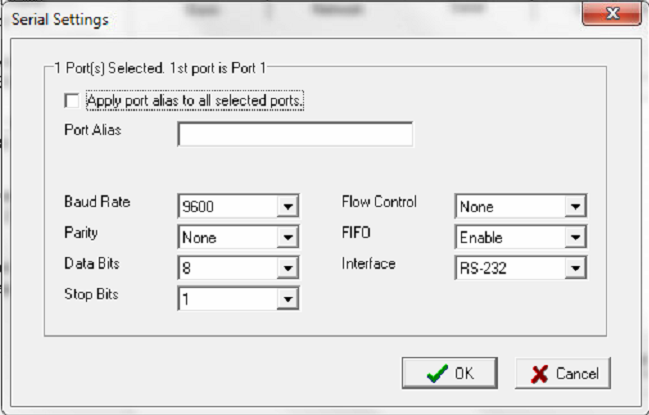
- Then double click on the port to modify.
- Then change the setting of Serial Settings exactly as in the picture
- Select the Operating Mode tab and click on the Modify check box.
- Then double click on the OP Mode to modify.
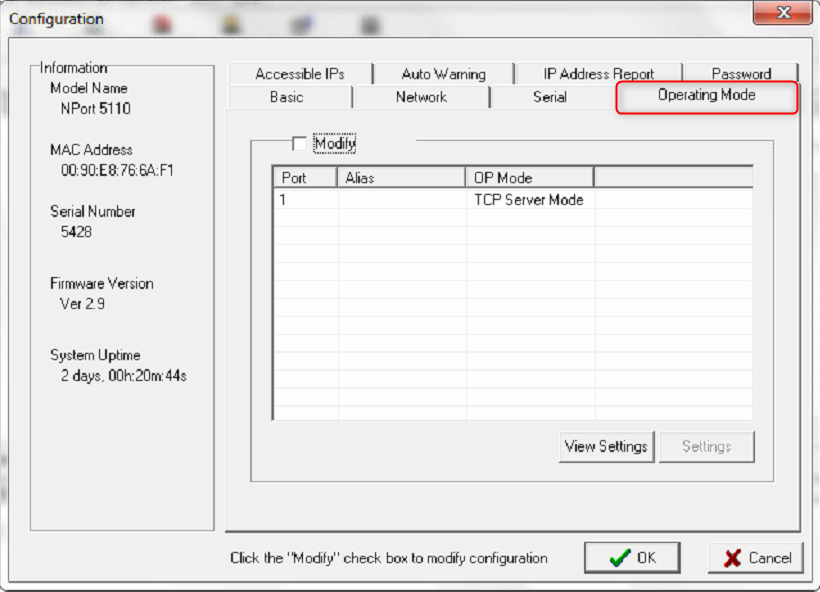
- Then change the setting of Serial Settings exactly as in the picture

- Lastly, select the OK button to save all settings that have been changed
Total 0 Votes:
0
0
