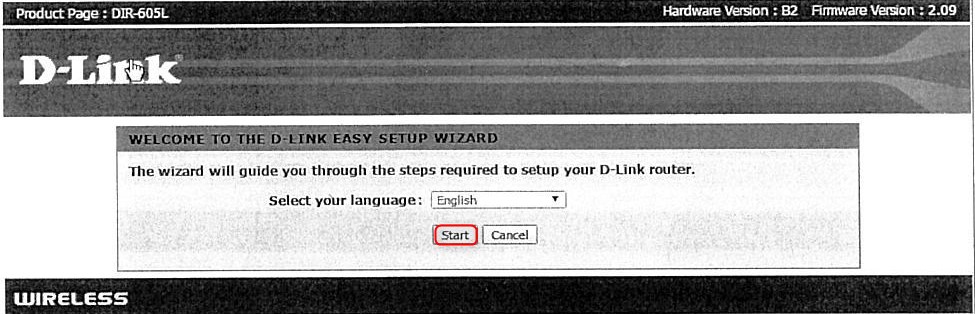
- Open Internet Browser (for example Firefox, Chrome) and type the URL 192.168.0.1

- Click Start
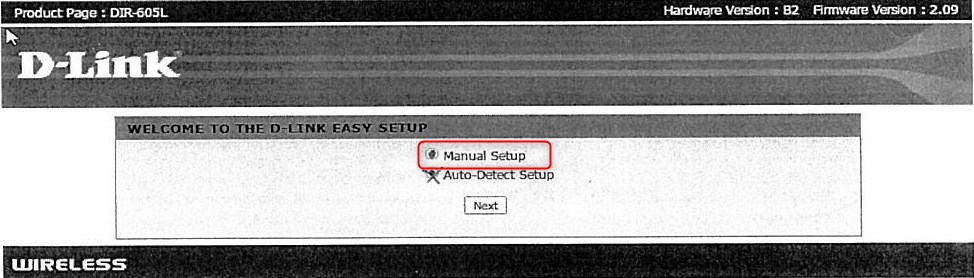
- Then select Manual Setup and click Next
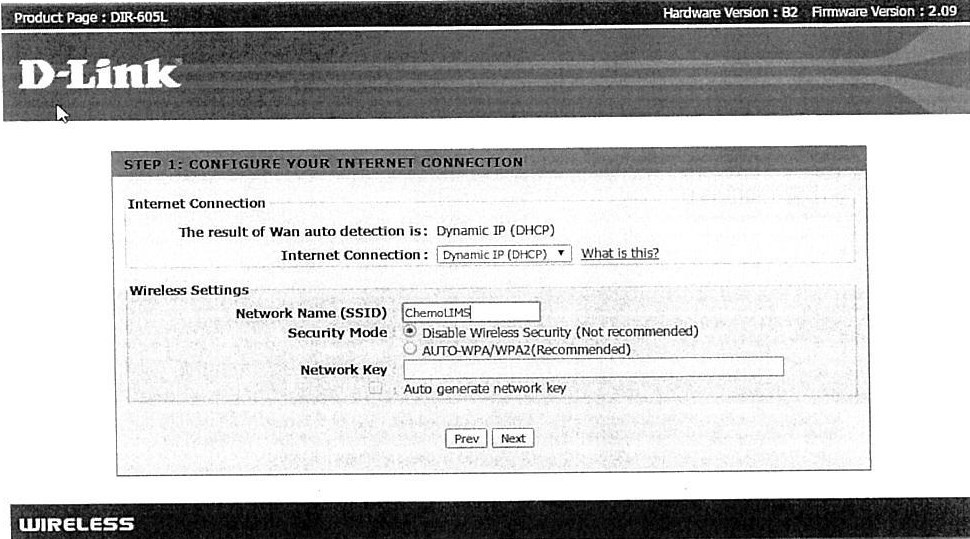
- Change
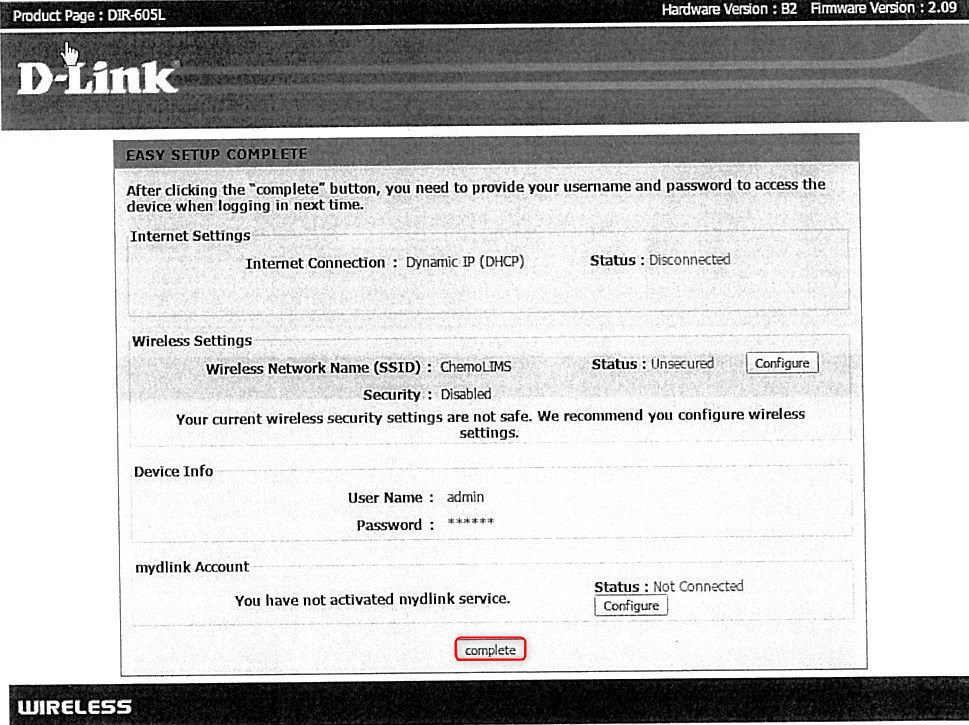
- Internet Connection: Dynamic IP (DHCP)
- Network Name (SSID): ChemoLIMS
- Security Mode: Disable Wireless Security
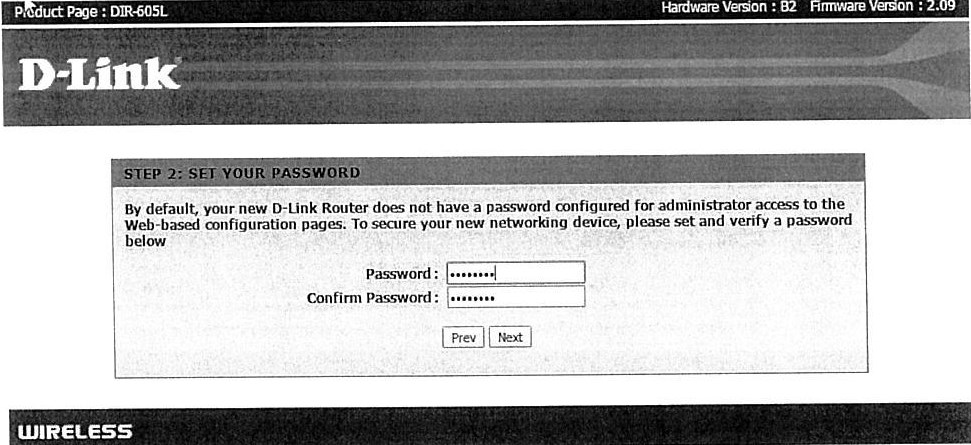
- Set the username and password
- username: admin
- password: P@ssw0rd
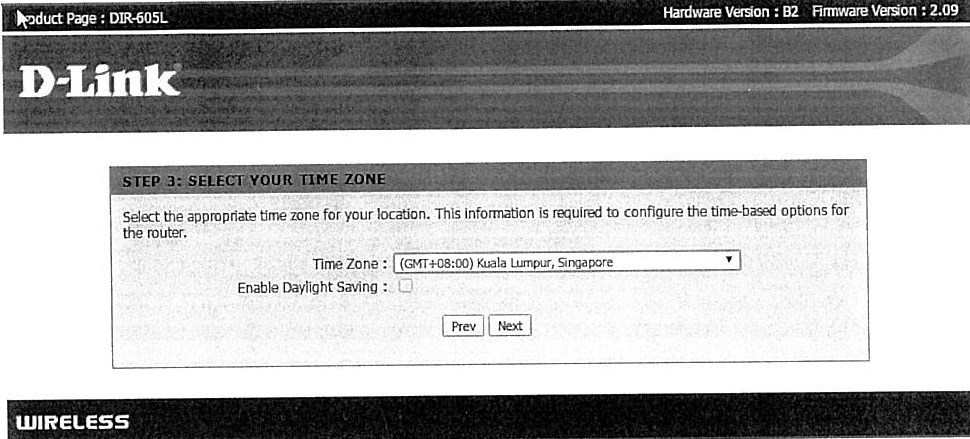
- Next, select the time zone to Kuala Lumpur, Singapore
- Then click the complete button
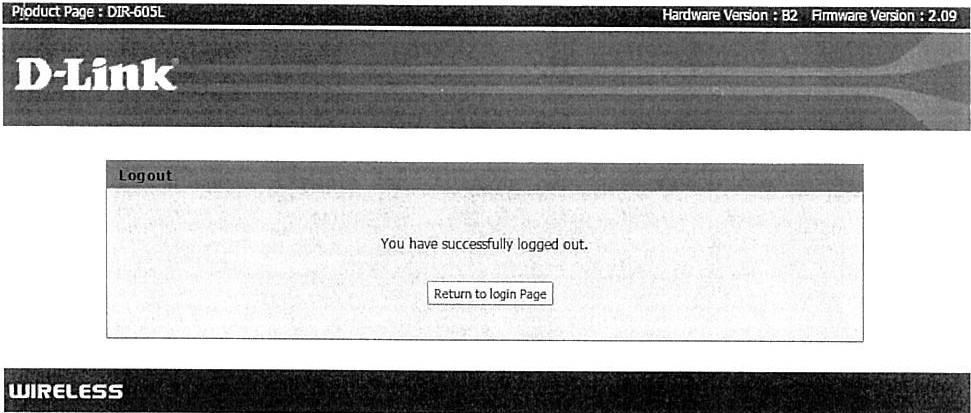
- The system will log out
- Login once again using username and password as in Step 9
- Then select the Advanced button at below of the page
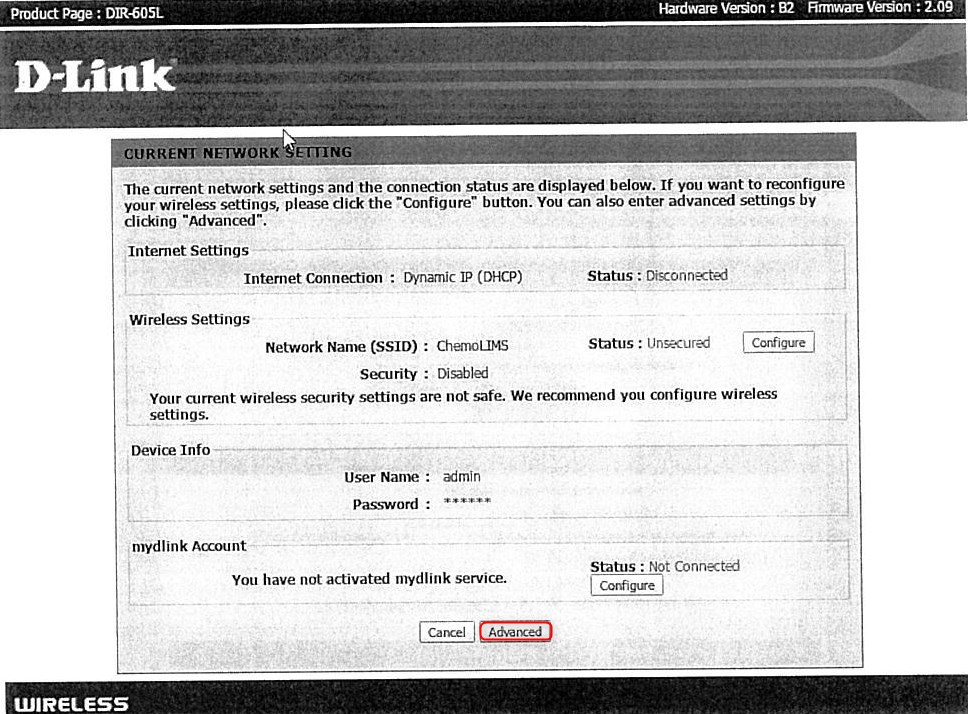
- On the Status Tab, follow the following settings
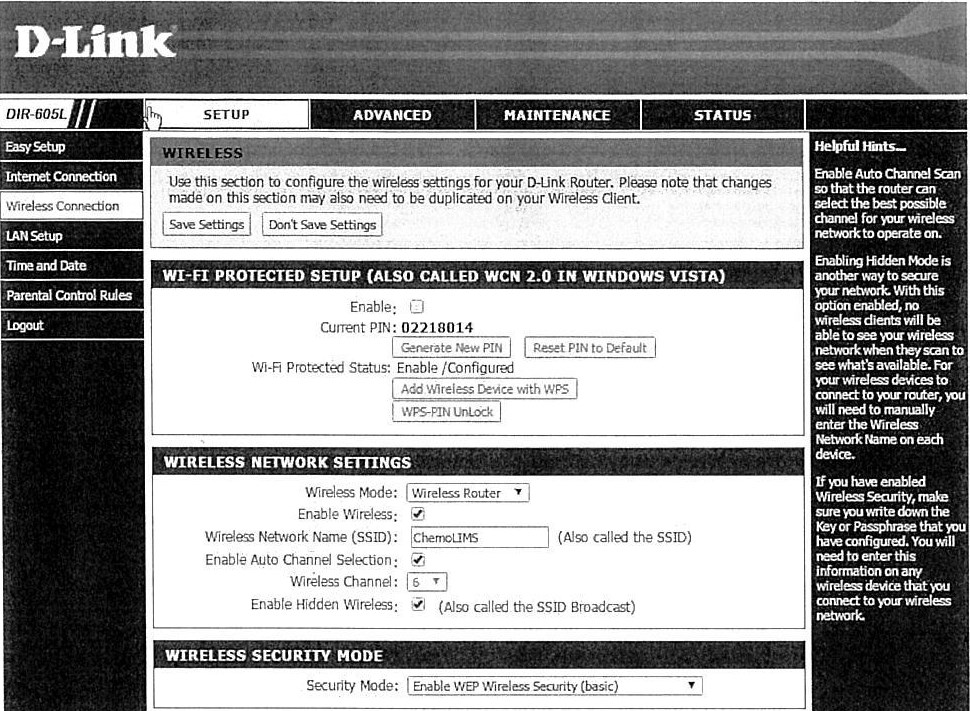
- After changing all the setting, click the Save Settings button
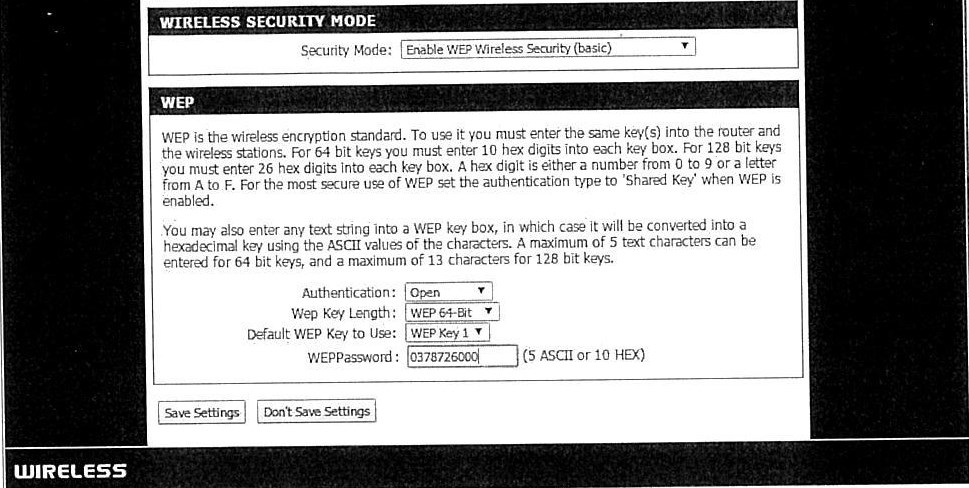
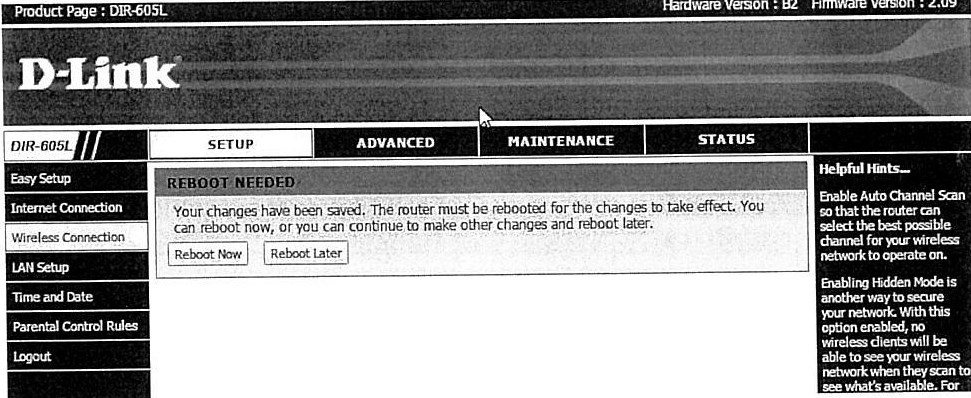
- Then reboot is needed. Select Reboot Now
- Then go to Advanced Tab and follow exactly like in the picture
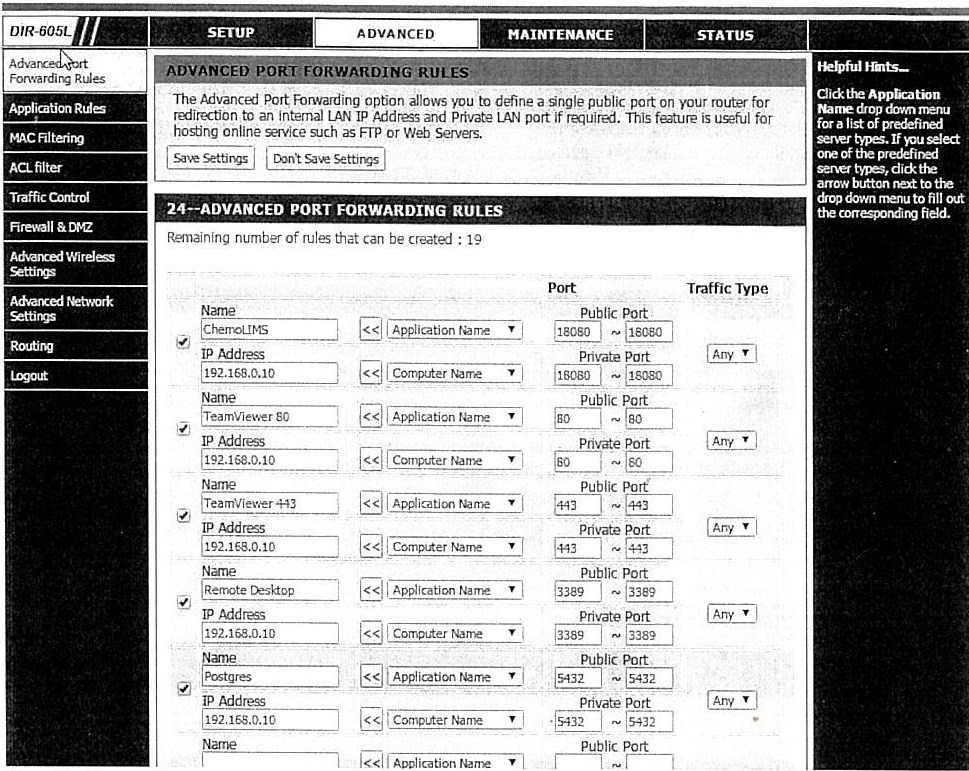
- Then Save Setting. Reboot is needed and select Reboot Now
Total 0 Votes:
0
0
