The assignee is expected to create a QA task for the ticket that has been resolved in Mantis.
- Go to the task that you have completed. This needs to be done before marking the status as “Resolved”.
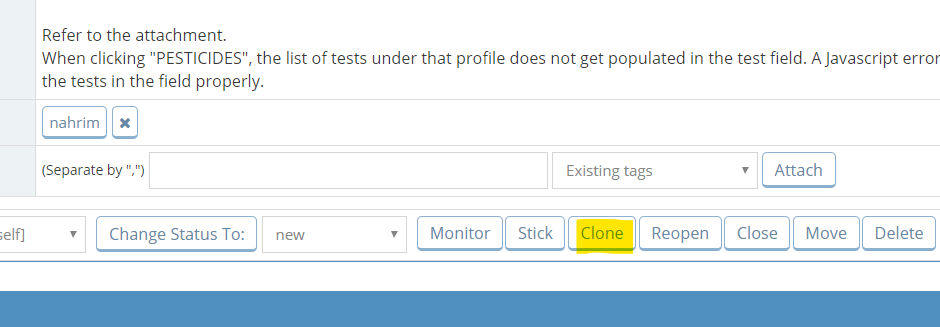
- Click on CLONE
- Add “[QA]” in front of the Summary field. Assign To should be kept empty.

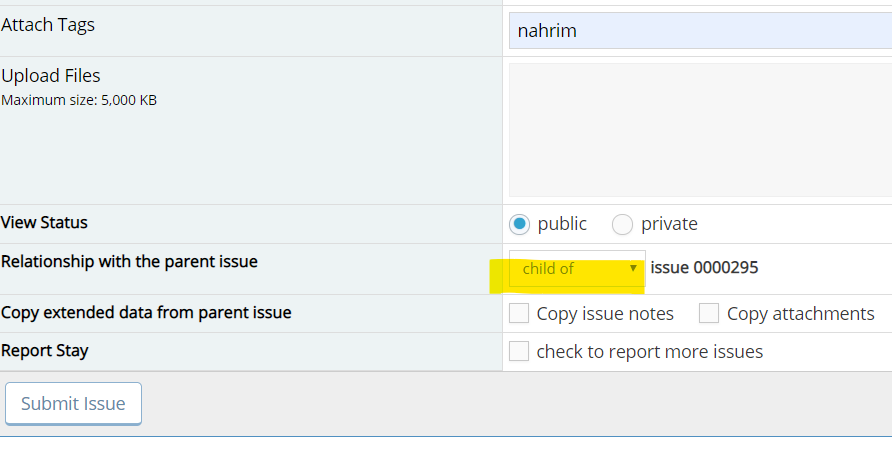
- Set Relationship to “child of”. Click Submit Issue.
- After creating the QA task, please mark the parent task as “Resolved” so that QA will know that the ticket is ready for testing.
- QA will close the parent ticket once the issue has been tested.
Total 1 Votes:
0
1
