Solution – Check Client PC
Windows 7 
- Open the Client PC 1 or Client PC 2 and check the network connection (internet)

- If there is a Cross

 , there is a possibility the network cable is unplug.
 - If there is Exclamation Mark , there might be some network problem.
- Right click on the internet access icon

- Select Troubleshoot Problems

- the windows will start the detecting the problem
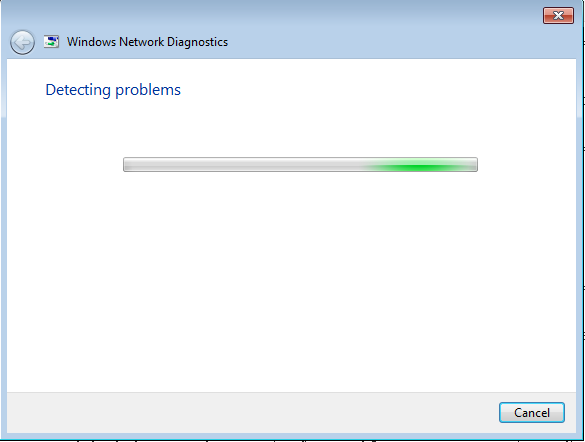
- After it detect the problem, it will automatically resolve the problem and shows what is the problems occurs.

- If there is still a problem, ask user to Restart the Computer or Restart the Router/Switch
- Right click on the internet access icon
Windows 10 
- Open the Client PC 1 or Client PC 2 and check the network connection (internet)

- If there is a Cross
 , there is a possibility the network cable is unplug.
 - If there is Exclamation Mark , there might be some network problem.
- Right click on the internet access icon
- Select Troubleshoot Problems
- The windows will start the detecting the problem

- After it detect the problem, it will shows what is the problem and the solution that might help.Select Apply This Fix.
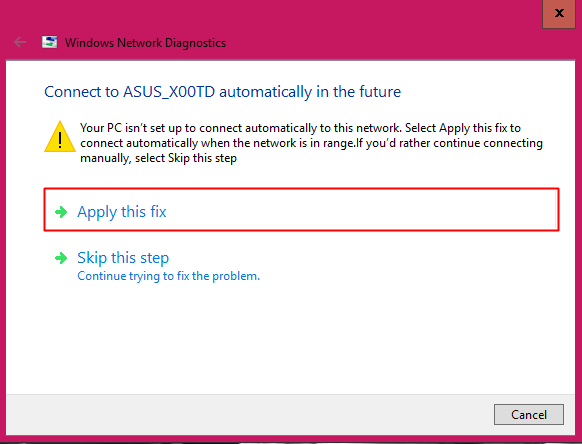
- Then the computer will try to resolve the problem.
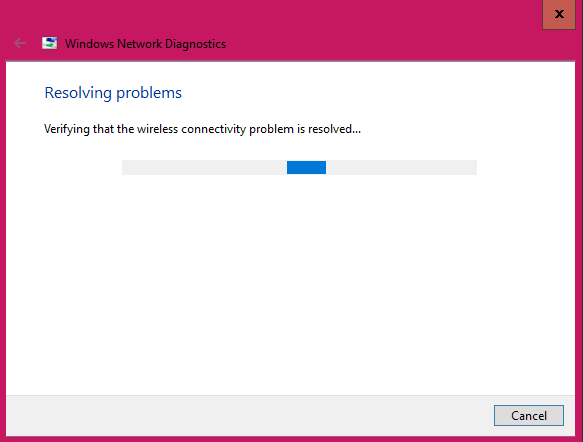
- After it resolve the problem, it will shows the problem occurs and either it is fixed or not.

- If there is still a problem, ask user to Restart the Computer or Restart the Router/Switch
- Right click on the internet access icon
Total 0 Votes:
0
0
